A letter grade before you move a single file
One of the biggest advantages of a migration is knowing about the problems before you start moving data. A destination that's nearly full. File names SharePoint won't accept. Paths that exceed Microsoft's limits. Thousands of duplicate files nobody realised were there.
None of those require a migration to discover. They require a read-only inspection of the source before a single file is copied. That's exactly what Check readiness does, and rather than producing pages of technical output, it summarises the result with a simple letter grade from A to D, then explains exactly why.
Why a letter grade?
It would have been easy to produce a score out of one hundred. The problem is that scores sound precise without actually helping anyone decide what to do. Is 92 good? Is 78 acceptable? How much worse is 81 than 83? A letter grade answers the question more directly.
- A. Ready to migrate. Nothing was found that requires your attention.
- B. Ready to migrate. Minor issues were found that Liscaragh Migrate will correct automatically during the migration, such as SharePoint filename sanitisation.
- C. Decisions required. The readiness check found issues that should be reviewed before the migration starts.
- D. Blocked. The destination does not currently have enough available storage to complete the migration.
The grade appears prominently in both the readiness report and the job log, making it immediately obvious whether the migration can proceed.
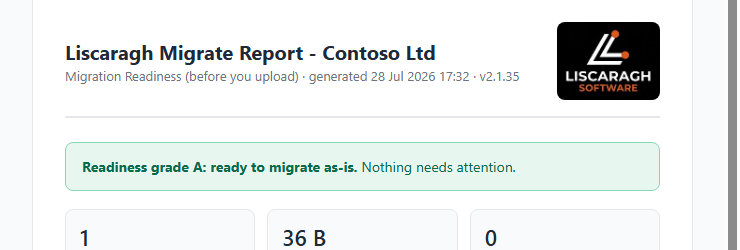
The grade banner at the top of a readiness report.
What determines the grade?
The grade isn't calculated separately. It simply summarises the findings already collected during the readiness check: destination storage availability, SharePoint filename compatibility, path length validation, and any issues requiring a manual decision.
One distinction is particularly important. By default, Liscaragh Migrate automatically sanitises filenames that SharePoint would reject, replacing invalid characters and removing trailing spaces or periods, and every change is logged and listed in the report. That results in a B, because nothing requires intervention.
By contrast, paths that would exceed SharePoint's maximum supported length are never shortened automatically. Automatically truncating names risks creating duplicate filenames or losing meaningful information. Instead, those files are reported for review, resulting in a C, so the decision stays with the administrator.
Know before you copy
Check readiness is available without a licence. Connect your source, run a readiness check and see potential blockers, duplicate data and storage requirements before committing to a migration. See the readiness grade and destination drift check in the latest release notes.
Find duplicate data before migrating it
The same readiness inspection also identifies duplicate files, and importantly, it compares file content rather than filenames. That means it catches genuine duplicates stored under different names, in different folders, or as repeated copies created over time, not just files that happen to share a name.
The report shows how many sets of duplicate files it found and the total amount of storage they occupy between them. Nothing is deleted, and nothing is excluded automatically. The purpose is simply to replace assumptions with facts: if several hundred gigabytes of duplicated data exist, you know that before scheduling the migration rather than afterwards. For MSPs estimating project duration, or organisations paying to migrate unnecessary data, that information can be surprisingly valuable.
A realistic estimate, or no estimate at all
The readiness report can also estimate how long the migration is likely to take. Unlike many estimates, this one only appears after the job has completed a genuine migration and measured actual throughput. Before that, no estimate is shown.
There is little value in inventing a duration based on theoretical bandwidth or ideal conditions. An optimistic guess quickly becomes a promise that someone later has to explain. Liscaragh Migrate would rather provide no estimate than one it has no evidence to support.
Why run Check readiness first?
A readiness check doesn't replace a migration. It replaces unpleasant surprises. A D tells you that the destination doesn't currently have enough storage available. A C tells you exactly which issues need decisions before the migration begins. A B reassures you that any SharePoint filename corrections will be handled automatically and fully recorded. An A means you're ready to start.
All of that is discovered without uploading a single file. By the time the migration begins, you already know whether the destination has enough capacity, whether anything requires attention, and whether a significant amount of duplicate data could be cleaned up first, exactly the sort of information that's useful before a migration, not halfway through one.