Completion certificates and provenance packs
Two outputs go beyond an internal record and are built specifically to be handed to someone else: a completion certificate for client sign-off, and a provenance pack that proves what moved and when using an independent, outside timestamp. This page covers what each one contains, how to issue one, and why both deliberately refuse to be produced for a run that never really finished.
The short version
Both are generated from the same audit record every report comes from, both live under the Reports and proof tile, and neither one can be produced by wishful thinking: each is only issued once the migration it describes has actually, verifiably happened.
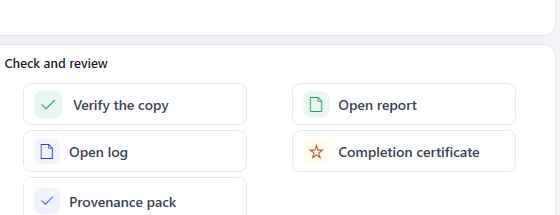
Both live in the same tile row as the rest of the run's reports and checks.
Completion certificate
A one-page, brandable HTML certificate for a finished migration: what was migrated (files present and verified, total data moved, number of projects), where it now lives, how it was verified, and signature lines for the delivery partner and the client to sign against. Present means copied on this run, or already there and matching from an earlier pass, so it reflects the whole corpus now sitting in Microsoft 365, not just what moved today.
Issue one from Reports and proof > Completion certificate. It reads the newest audit trail automatically, skipping past any Preview or readiness checks you ran afterwards to find the last genuinely completed migration.
Provenance pack
A manifest of every migrated file's path, size, content hash and original modified date, countersigned by a timestamp from an independent, outside timestamp authority (an RFC 3161 service, obtained live from DigiCert at the moment you issue the pack). That combination is what makes it tamper-evident: the timestamp proves the manifest, and therefore the exact state of every file it lists, existed at that moment, and nobody, including Liscaragh Software, can quietly backdate or edit it afterwards without the timestamp no longer matching.
Issuing one produces three files: the manifest itself, a .tsr timestamp token from the timestamp authority, and a readable HTML summary of the pack. Only the manifest's own hash, 32 bytes, is ever sent to the timestamp authority to be signed. The actual file listing, paths and contents never leave your machine.
Issue one from Reports and proof > Provenance pack, after a completed real run.
How someone else checks it's genuine
The .tsr file is a standard RFC 3161 timestamp token, the same format used across the industry, not a Liscaragh-specific format. That matters for a client or an auditor: they don't have to take Liscaragh Migrate's word for it. The token can be checked independently of the tool, against the manifest and the timestamp authority's own public root certificate, with any RFC 3161-compatible tool. If you need to walk a client through that, the timestamp authority's own documentation covers verifying a token issued by their service.
Why they refuse, and when
Both outputs are a claim about what happened, not routine run bookkeeping, so both are built to be impossible to produce for a run that didn't genuinely finish. Neither is issued automatically at the end of a run; you produce each deliberately, when you're ready to hand it to someone.
- Against a preview or an unfinished run, both refuse outright and write nothing. The certificate's message is explicit about what to do instead: "A completion certificate is only produced for a migration that finished: run Upload, then 'Sync new and changed' until nothing is left to copy, and 'Verify files arrived'. Then try again." The provenance pack refuses for the same reason: "It needs a completed real run first (Upload or Sync) - a preview leaves nothing to attest."
- A cancelled or interrupted run is treated the same way as an unfinished one. Resume it (see the main how-to guide on picking a job back up), get it to a completed state, then issue either document.
Related guides
- Understanding your audit trail and reports, for how the underlying audit record and the other report types work.
- The main how-to guide, including the full step-by-step flow.
- See a sample report.